

Please ensure the process is done by a qualified wordpress developer
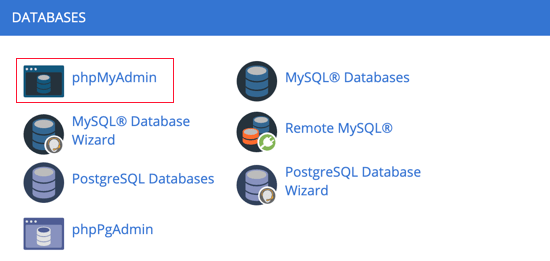
First, you need to log in to the cPanel dashboard of your account. Next, you need to navigate to the Databases section where you can click on the phpMyAdmin icon.
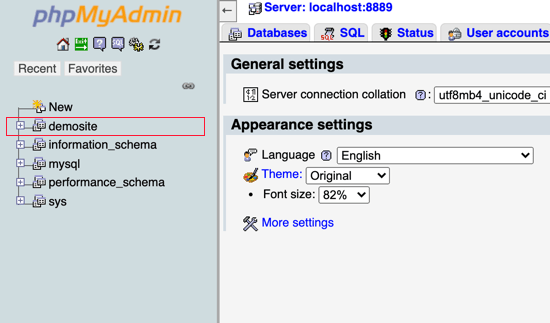
This will launch the phpMyAdmin app where you need to select your WordPress database.
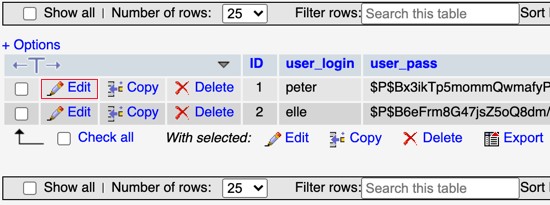
You will now see the rows in your WordPress users table. Go ahead and click on the edit button next to the username whose password you wish to change.
PhpMyAdmin will show you a form with all the user information fields.
You will need to delete the value in the user_pass field and replace it with your new password. Under the function column, select MD5 from the drop-down menu and then click on the Go button at the bottom of the form.
Your password will be encrypted using the MD5 hash and then it will be stored in the database.